

If you have a neurodivergent child who struggles with transitions, time blindness, or knowing when to stop and switch tasks, a visual timer for kids can be a genuine game changer. We’ve tried a few in our home and one has become a daily non-negotiable. Here’s the one we actually use, why it works for our family, how we use it across different routines, and an honest look at a budget alternative we’ve tested.
As an Amazon Associate I earn from qualifying purchases.
Jump to: How we use this timer at home
Why Neurodivergent Kids Need a Visual Timer
Time is abstract — and for kids with ADHD or autism, abstract is hard. When you say “five more minutes,” it means almost nothing to a brain that can’t feel time passing. A visual timer for kids makes time concrete. They can see the red area shrinking. They can watch time disappear in real time instead of trying to hold an invisible concept in their head.
This does a few important things:
- Reduces surprises — transitions feel less abrupt when kids can see them coming
- Cuts verbal reminders — “check your timer” replaces repeated nagging
- Builds focus — knowing there’s an endpoint makes it easier to stay on task
- Reduces anxiety — predictability is calming for kids who struggle with uncertainty
- Supports independence — kids can self-regulate without constant adult input
We use ours for morning routines, school work blocks, screen time, and transitions — basically all day long.
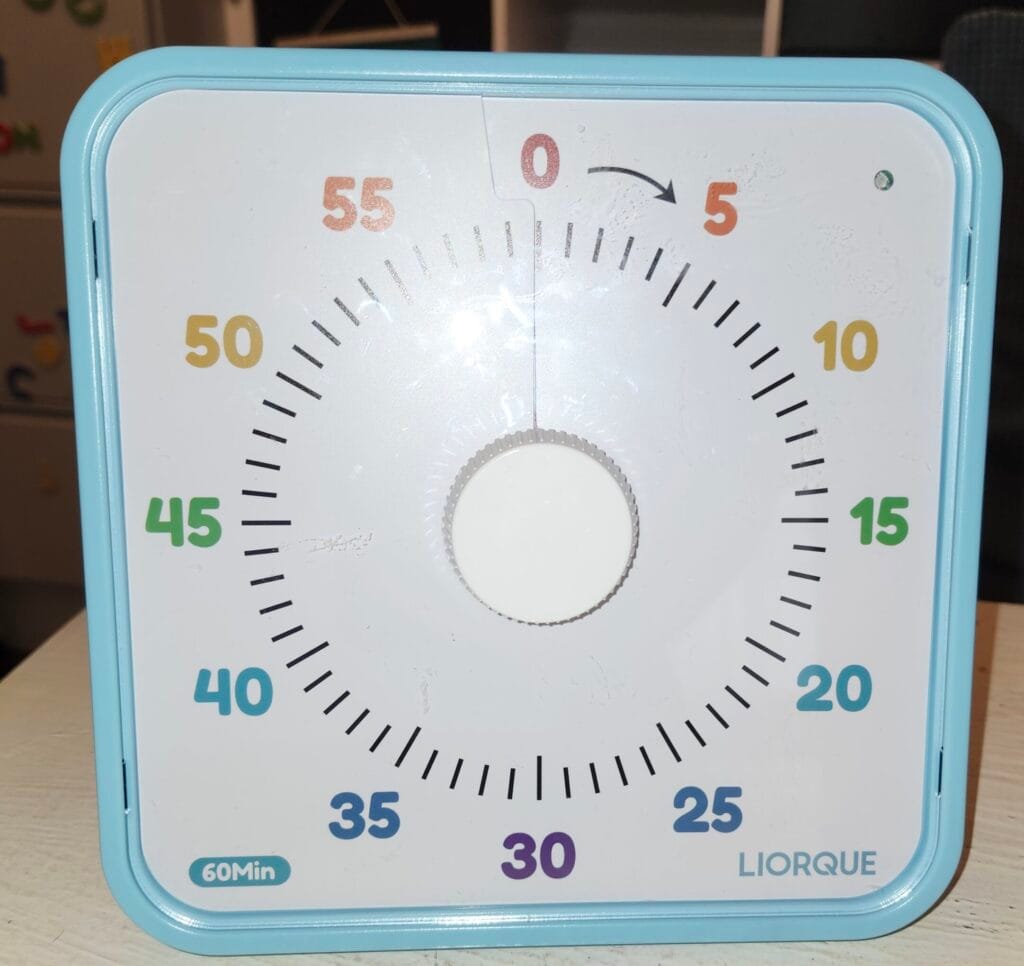
Our Top Pick: Liorque Large Visual Timer for Kids
After trying a few options, the Liorque Large Visual Timer is the one that stayed on our school filing cabinet. Here’s why.
Why we love it:
- Large 7.5-inch face — easy to see from across the room, doesn’t get lost
- Magnetic backing + stand — strong magnets hold it on the fridge or filing cabinet; or stand it on a desk or counter
- Non-ticking — no constant background noise that can distract or irritate sensitive kids
- Simple dial — twist to set, even young kids can do it independently
- Adjustable alerts — mute, low, or high volume; sound, light, or vibration options
- Kid-friendly design — we have the rainbow model; other styles available
Cons:
- Higher price point than budget options — but it’s held up well for us, and still inexpensive
- No sub-minute display — for tasks under 1 minute (like handwashing) a digital timer works better
Who This Timer Works Best For
This visual timer for kids is a great fit if your child:
- Has ADHD, autism, or sensory processing differences
- Struggles with time blindness or transitions
- Gets dysregulated when activities end unexpectedly
- Does better with visual cues than verbal reminders
- Is sensitive to noise (the mute and vibration options help here)
- Is working on building independence with routines
It also works well for neurotypical kids who just need a little more structure — and honestly, it’s useful for adults too.
How We Use This Timer at Home
We use the Liorque across almost every part of our day. Here’s how it looks in practice:
- Morning routine: set 5–15 minutes per step (getting dressed, breakfast, teeth). Once a routine becomes habit, you can phase the timer out gradually.
- School work blocks: our 7-year-old works well in 5-minute blocks for independent tasks; our 11-year-old does 10-minute blocks. As they get comfortable, they naturally get more efficient and the blocks can grow.
- Building focus endurance: start short and increase gradually over time. Even adding 1-2 minutes per week builds real stamina.
- Transitions: 5-minute countdown before leaving the house or ending screen time; 2–5 minute reset break between subjects (stretch, snack, move, or chill).
- Screen time: set it and walk away. When the red is gone, (or in our case the rainbow) screens off — no argument needed because the timer is the authority, not you.
- Chores: set a timer for the task so kids know there’s an endpoint. “You have 10 minutes to clean your room” lands very differently when they can see it.
Budget Alternative We’ve Tried
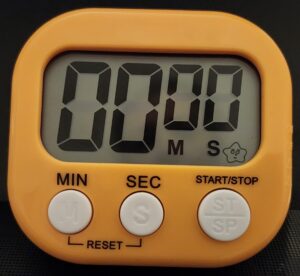
6-pack budget digital timers
Pros:
- Portable — easy to carry room to room or tuck in a bag
- Can time under 1 minute — useful for handwashing, quick tasks
- Handy when multiple kids need separate timers at the same time
- Large display
- Inexpensive
Cons:
- Weak magnets — several fell off our fridge, which affects longevity
- Easy to misplace because they’re small
- Alert is either mute or quite loud — no middle ground, which can be overstimulating
- Sound was glitchy on some units in our pack
- Not truly visual — shows numbers, not a shrinking color display
Fine as a backup or for stations around the house, but we don’t rely on these as our main family timer.
FAQ
Are visual timers loud?
It depends on the timer. The Liorque has adjustable volume and can run completely on mute — it also has a light and vibration alert option, which is great for noise-sensitive kids.
What’s a good starter length for a visual timer?
For building focus, start with 2–5 minutes and increase gradually. For routines, match the task — teeth brushing is about 2 minutes, getting dressed might be 5–10. See the “How We Use This Timer” section above for more specific examples.
What age is a visual timer good for?
Visual timers work well from preschool age through adulthood — especially for neurodivergent individuals of any age. The dial design of the Liorque is simple enough for young kids to set themselves, while the clean design doesn’t feel babyish for older kids.
Is the Liorque timer worth the price?
In our experience, yes. It’s more durable than the budget options we tried, the magnet actually holds on the fridge, and the adjustable alert options make it versatile. If you use it daily — which we do — it’s worth the investment.
Leave a Reply